Airport ops · AI-powered · Mobile-first

The platform airport ground staff actually use.

A mobile app + a manager dashboard, joined to a stack of AI services that handle the daily flow of ground operations: item-check decisions, live interpretation, X-ray training, remote expert assistance, child protection, lost-and-found, scheduling, incident reporting. Built for staff who can't pause to read a manual.

AI Item Check · Live Allowed

Carry-on: Allowed

Checked against the regulation database, AI vision and real-time web search · confidence 0.96

Manager Dashboard · Live 38 ON SHIFT

Terminal A · 12 staff · 3 incidents open

Auto-assignment reassigned 2 shifts; pre-shift briefing pushed at 06:00 with acknowledgement 96%.

Interpretation · 通訳 JP → EN

"Where can I check this in?"

Live speech-to-text + AI translation · secure streaming · captions in ~1 s

Four AI capabilities. Each one a tool the staff actually carry.

The AI is not a back-office optimisation. It runs in the staff's pocket — on the mobile app — and on the live video feed when an expert is helping. Designed so a busy ground-staff member can use it one-handed.

🛂

AI Item Check

Photograph an item or describe it. The system runs a priority cascade over its own sources — a curated regulation database (seeded from Japanese MLIT dangerous-goods guidance and IATA / ICAO item typology), a web-search-learned database, image matching against a training library, AI vision, and a real-time trusted web search — then AI reasoning reconciles the best match and returns a per-dimension verdict (cabin / checked / import / export, each allowed / conditional / prohibited) with a confidence score.

Regulation database AI reasoning AI vision Real-time web search Country-specific rules
📷 input · Lithium Battery (160Wh)
📋 Regulation DBcurated · MLIT-based
🌐 Web-learned DBtrusted sources
🖼 Image matchtraining library
👁 AI visionidentify item
🔎 Web searchreal-time
⚖️ AI reasoningreconcile
🌍 Country rulesJPN · USA · TWN
🧠
AI cascade
best match
Carry-on · Allowed matched · regulation DB · 0.96
🎯

X-Ray Training & AI Flywheel

Gamified prohibited-item detection. Staff annotate items with bounding boxes, the system scores with IoU + streak bonuses. Annotations export as training datasets to improve the AI model — the trained model then assists staff in real X-ray screening. A virtuous cycle: better annotations → better model → easier shifts → more annotations.

AI detection AI image match IoU scoring Streak gamification Leaderboard
9:41
Training
⭐ 2,450 pts
Select Category
Explosives Weapons Flammables Lithium Battery Liquids
Submit Answer
🔥 5 Streak
1stTanaka3,200
2ndYou2,450
3rdKim2,100
📡

Remote Expert Assist

Field staff streams the phone camera to an off-site expert over encrypted live video. The expert annotates the feed with arrows, highlights, and notes that sync live to the staff member's screen. On a captured frame, AI object detection flags items the expert might miss. Tested across cellular and on-site Wi-Fi.

Encrypted live video AI object detection Live annotation overlay Two-way sync
9:41📶 5G
Live · T-B
REC
720p 30 fps 240 kbps live AI · on tap
Yumi T. (HQ Expert) drew an arrow:
"confirm the handgun in the upper-left — magazine attached?"
🎙

Live Interpretation

Real-time speech-to-text and AI translation. Japanese / English / Traditional Chinese. Audio streams securely to the backend, is transcribed and translated, and the result returns as live captions — partial text in about a second, final in about two. Template-phrase library for common ground-staff scenarios. Tested at noisy gates and on the apron.

Real-time speech-to-text AI translation JP · EN · ZH-TW Live captions
9:41🔋 88%
Interpretation
JA
EN
🎤
🇬🇧 English
Do you have any batteries in your luggage?
Connected · 0:42 · secure streaming

Drag to reveal what the AI sees. On real airport floors.

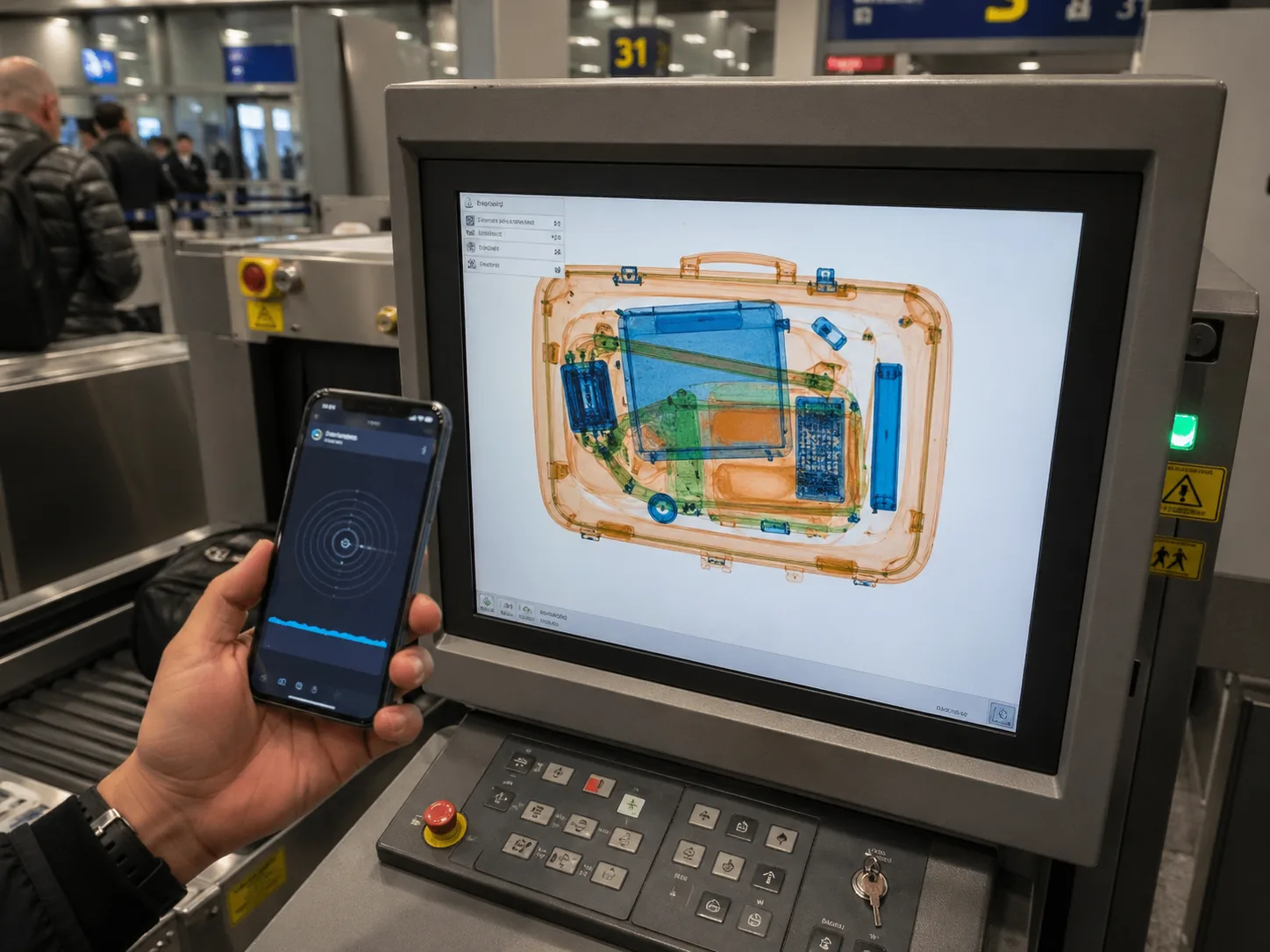
Two of the four AI hero features run on top of the physical airport — the AI Item Check phone in the staff's hand at the X-ray station, and the Remote Expert Assist phone recording the X-ray monitor. Drag each slider below to compare the raw scene with the AI / expert overlay layered on top.

AI Item Check · Live at the X-ray station

Phone in the staff's hand. X-ray on the screen behind. Verdict in seconds.

Ground staff scans the suspicious item with the phone. The AI Item Check pipeline runs (admin DB → gov regulations → web search → AI vision → AI reasoning) and the verdict appears as an overlay. Drag the slider to compare the raw scene with what the staff actually sees.

Airport X-ray station — staff holding phone, monitor showing bag X-ray
phone · scanning
electronics · 0.91
battery · 0.87
Carry-on · Allowed · 0.96
RAW · field scene AI overlay
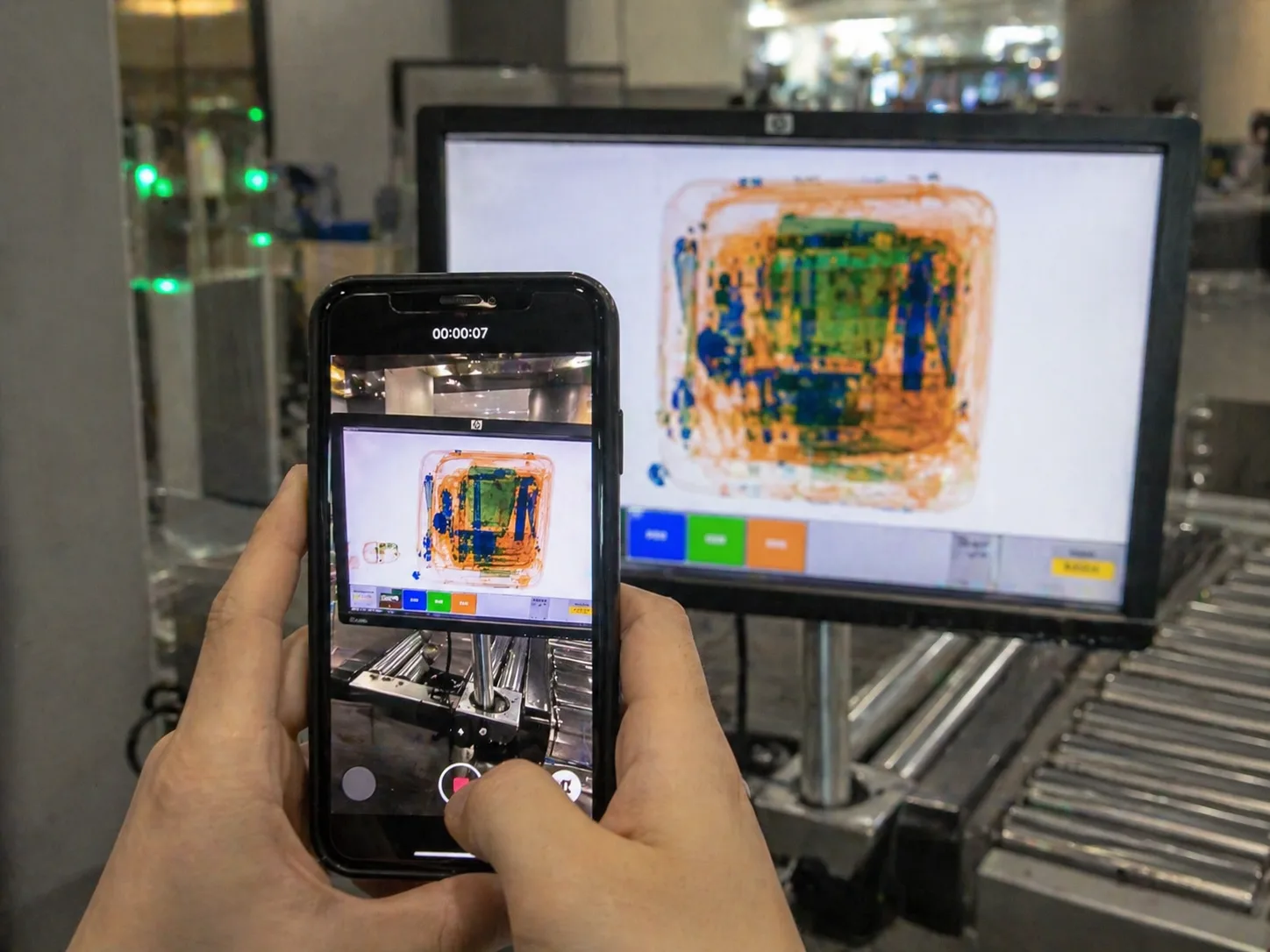
Remote Expert Assist · Phone-on-monitor recording

Field staff records the monitor. The expert sees both — and annotates.

A field staff member streams their phone camera to a remote expert over encrypted live video. The phone records the X-ray monitor in front of them; the expert sees the live feed, can run AI object detection on a captured frame, and draws arrows + notes that sync live to the staff's screen. Drag the slider to compare the raw recording with what the expert annotates.

Field staff recording an X-ray monitor with their phone — 00:00:07 timer visible
bag scan · live feed
unknown · 0.74
Expert: "rotate the bag 90° — confirm shape"
RAW · phone recording Expert + AI overlay

Twelve availabilities in. A staffed week out.

Auto-assignment matches every staff member's submitted availability against each location's requirements and required qualifications, fills the week in seconds, and surfaces the few cells that need a manager's call. Pre-shift briefings auto-queue with acknowledgement once the schedule is approved.

📅 Auto-Assignment Run #842 · Week of 2026-04-29 · Terminal 2
MATCHING
AVAILABILITY RECEIVED · 12 / 12 Tanaka Mon AM Suzuki Mon PM Sato Tue AM Yamada Wed Night Kobayashi Thu AM Watanabe Thu PM Ito Fri AM Nakamura Fri PM
MON 04-29 TUE 04-30 WED 05-01 THU 05-02 FRI 05-03 AM
06–14
Tanaka
available
Sato
available
Hayashi
auto
Kobayashi
available
Ito
available
PM
14–22
Suzuki
available
Mori
auto
Conflict
2 want PM
Watanabe
available
Nakamura
available
NIGHT
22–06
Aoki
auto
Takahashi
auto
Yamada
available
Short -1
needs cover
Inoue
auto
Auto-matched
13 / 15
Conflicts
2
Match rate
87%
Briefings queued
38

From a wallet on the floor to its owner's hand — across 14 documented stages.

A comprehensive system, not a form. Multi-photo capture with AI vision item-naming + AI 3-language descriptions (JA/EN/ZH-TW) + AI image-similarity search + a strict 3-UUID match-event protocol that prevents orphan handovers + 58 mm QR labels printed from mobile + a self-service traveler portal + email escalation to police/airport authority + a map heatmap.

9:41 ● ● ● ⌁ ▮▮
拾得物 · Lost & Found
📝
拾得物登録
発見した拾得物を登録
👤
紛失届
紛失届を提出
🔍
記録検索
📦 14 🔗 6 ✅ 31
🤝
返却待ち
6 件が返却待ち
📱
QRで引き渡し
Scan QR codes to start handover
拾得物登録 3 / 3 photos
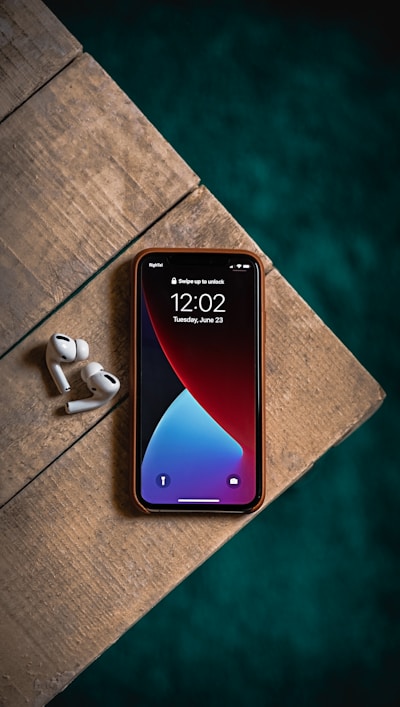
Photo of a found iPhone with AirPods case
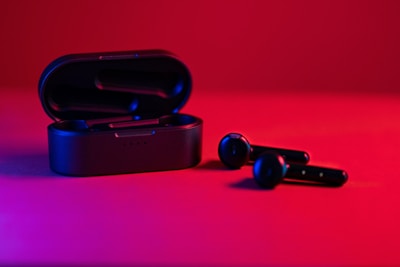
Photo of black wireless earbuds
Photo of a navy backpack
AI: iPhone 13 + AirPods Pro · ネイビーケース · 信頼度89%
品名
iPhone 13 + AirPods Pro
カテゴリ
06 · 電子機器
発見場所 📍 GPS
T1 · ゲート12付近
発見日時
2026-04-30 09:32
登録
記録検索 14 / 22
📦 拾得物 14 🔗 マッチ済 6 ✅ 引渡し済 31
Photo of a found iPhone with AirPods case
iPhone 13 + AirPods Pro
T1 · ゲート12 · 4/30 09:32
マッチ済 85%
Photo of a black backpack
黒いバックパック
T2 · 保安検査場 · 4/30 07:14
保管中
Photo of black wireless earbuds
ワイヤレスイヤホン (黒)
T1 · 待合エリア · 4/29 18:48
期限切れ
返却待ち 6 件
Photo of a navy backpack
ネイビーのリュックサック
LF:01956a8b · T1 ゲート12 · 4/29 14:32 発見
マッチ済
山田 花子 さん
+81-90-1234-5678 · 4/29 14:45 マッチ
🤝 引き渡しを開始

残り 5 件 · 受取人到着待ち

📋 Status Tree · 14 statuses across LF / SR / MH (Match Event)

LIVE · 22 active items
LF
📦
Found · Reported
登録済み (LF:uuid)
14 items
SR
📝
Seeker · Reported
遺失届 (SR:uuid)
9 reports
MH
🔗
Matched
マッチ (MH:uuid)
6 events
Handed Over
引渡完了
31 this week
LF
🏢
To CS
CS移管
1 item
LF
👮
To Police
警察移管
0
LF
🗑
Disposed
廃棄
4 items
LF/SR
⚠️
Incident
調査要
1 open
×3
Expired
期限切れ · 再活性化可
3 items
LF
↩️
W. (Owner)
所有者発見
2 items
LF
↩️
W. (Error)
誤登録
0
SR
↩️
W. (Seeker)
届出取下
1 item

🔐 3-UUID Protocol · Handover requires a Match Event

Found Item (LF:uuid) and Seeker Report (SR:uuid) are independent until staff create a Match Event (MH:uuid). Handover cannot proceed without one — guarantees no orphan returns.

LFFound Item staff registered
physical evidence
SRSeeker Report traveler claim
(can predate find)
MHMatch Event auto / manual / qr_scan
+ confidence 0.0–1.0
Handover (signature + photo)
  • matchedhanded_over via "Process Handover" with signature
  • matchedwithdrawn reverts both records to found_reported / lost_reported for re-matching
  • Auto-match scores AI image (40) + text (30) + category (15) + location proximity (10) + time recency (5)
  • Manual match: 3-second long-press on a card → tap counterpart → confirm

📷 Image Search · AI similarity · multi-language

Customer shows a photo of their lost item; staff snaps it; AI image embedding ranks candidates. Description similarity is scored in both Japanese and English — the higher score wins, so a Japanese-only seeker still matches an English-only item.

LF:01956a8b-7c3d Black leather wallet · COACH
87%
LF:01956a8b-7c3e Bifold wallet · brown leather
79%
LF:01956a8b-9d4e Card holder · vegan leather
72%
LF:01956a8b-9d4f Coin pouch · navy
58%
LF:01956a8b-aabb Passport sleeve · black
44%
🌐
Self-Service PortalE1

Public web at /public/. Travelers search found items by photo + report lost items themselves. Rate-limited, CAPTCHA, claim-code tracking — no staff in the loop.

POST /public/report-lost
Claim: K3X-99FT
GET /public/track/K3X-99FT
🖨️
Mobile QR Label Print

Mobile print module. Renders a 58 mm QR label at 203 DPI (464 px) and prints via the OS print dialog — any AirPrint / Mopria / Wi-Fi / USB printer, or save as PDF. Label carries UUID, item name, multi-language footer.

render 58 mm label
OS print dialog
printed / PDF
📨
Email EscalationE4

A background worker checks every 60 s. When elapsed time exceeds an external contact's threshold (police, airport authority), an email is sent — once per contact per event. Audit log of every send.

kid_alert · 15 min → police@…
incident · 2 h → admin@…
lost_item · 6 h → cs@…
🗺
Dashboard HeatmapE3

map heatmap overlay on the staff GPS map. Toggle Lost Items / Incidents · Today / 7 d / 30 d. Hotspot panel surfaces top locations + week-over-week trend for ops review.

T1 · Gate 12 · 41 items ↑ 18%
T2 · Security · 29 items ↓ 7%
T1 · Restroom · 12 items → flat
Features documented
14
Statuses (LF + SR + MH)
14
Avg registration time
< 30 s
Match precision (auto)
87%
Return rate (this month)
76%

Beyond the four AI features. The daily-ops platform around them.

The four AI capabilities above are the headline. They sit inside a much larger operations platform — twenty more daily-use modules, all built into the same mobile app, all reflected on the manager's web dashboard. Authentication / people / equipment / scheduling / communication / compliance / utilities — every flow ground staff actually runs through in a shift.

🔐

MFA · Face Recognition

Face recognition as a sign-in factor (alongside ID/password, fingerprint, employee card). Liveness-checked. Fast sign-in.

📜

Activity Logs

Every staff action recorded to a personal activity history — reviewable in-app and on the dashboard, timestamped and GPS-stamped.

👶

Child Protection

AI registration of unaccompanied minors from photo + voice. Natural-language search, guardian-handover tracking, full audit log.

🧳

Lost & Found

AI image-similarity search + 58 mm QR labels printed from mobile. Visual status tree from intake to return.

💬

Staff Chat

Real-time messaging — per-airport rooms + 1-on-1 channels. Read receipts, image share, reactions & stickers.

📣

Airgram · staff photo feed

Internal photo / video feed for ground staff — shift moments, recognition, equipment tips. Double-tap to like.

📰

Business News

AI-summarized aviation security news from RSS / HTML sources. Multi-language. Reviewed on the dashboard, surfaced in the home briefing.

📅

Smart Scheduling

Rule-based auto-assignment on availability + qualifications, check-in / check-out, GPS location, pre-shift briefings with acknowledgement.

🔄

Shift Handover Notes

Document handoffs with photos, equipment status, and sign-on / sign-off acknowledgement.

🚨

Incident Reporting

Multi-step wizard with severity levels, photo evidence, and investigation workflow with audit trail.

📋

Seizure Documentation

4-step wizard: photo → item lookup → passenger signature → PDF. Regulator-grade evidence chain.

📚

Prohibited Items Glossary

Searchable encyclopedia of restricted items with country variants. Linked from Item Check verdict.

🗺

Audit System · GPS map

Every action timestamped + GPS-stamped. Replayable on a terminal map for incident review.

✈️

Flight Info Board

Live flight status, gate assignments, delays — pulled from an external flight-data feed, cached server-side, filtered to your terminal.

☁️

Weather

Current conditions, hourly outlook, and severe-weather alerts for the airfield. Critical for ramp ops.

🛠

Equipment Tracking

Asset register for machines, headsets, scanners — type, status, assigned location, and maintenance logs.

📄

PDF Document Distribution

Push regulatory bulletins, SOP updates, training PDFs. Read-receipt tracking per staff member.

✏️

Collaborative Whiteboard

Briefing-room whiteboard accessible from every device. Supervisor sketches the day's plan; staff annotate live.

📱

MDM · device management

Lock, wipe, reboot, and kiosk-lock enrolled devices. Online / offline status with last-sync per device.

🏠

Personal Home / Briefing

Per-staff home: today's shift, briefing acknowledgement, news headlines, weather, badge status — single screen.


For the supervisor, not the staff. Same data, executive view.

Web dashboard for managers and supervisors. Staff assignment calendar, auto-scheduling controls, real-time stats, MDM device management, interpretation session monitoring, news management, audit tools with GPS map.

Manager Dashboard · Airport ABC
📅 Calendar 👥 Staff 📍 Locations 📱 MDM 🔍 Audit 📰 News 🌍 Interpretation 📊 Training 📋 Incidents
2026-04-28 · 14:32 JST
On-shift staff
38+2
across 3 terminals
Item checks · today
1,427+12
vs yesterday: +8.4%
Open incidents
3
2 medium · 1 high
Interpretations · live
7
JP/EN: 5 · JP/CN: 2
X-ray training · this week
4,820+340
annotations submitted
Lost & found · open
22
14 returned this week
Briefing acknowledged
96%
36 / 38 staff confirmed
MDM · enrolled devices
142
141 online · 1 offline

Not a bundle of apps. One integrated operations platform.

Mobile app, manager dashboard, and AI services are engineered together as a single system — so item-check, interpretation, lost & found, scheduling, incident reporting and audit all share one login, one data model, and one audit trail. Every capability is modular, auditable, and explained to your security team in plain terms.

Mobile-first appiOS / Android · one-handed
Secure backendYour data · access-controlled
AI visionItem & image recognition
Live expert assistEncrypted real-time video
Live interpretationSpeech-to-text + translation
AI reasoningRegulation lookup + web search
Real-time syncChat · GPS · presence
Audit & complianceTimestamped, GPS-stamped

Deploy AG at your airport.

LV3 handles installation, MDM enrolment, country-specific regulation seeding, and team training. From pilot to full operations in weeks.