
STEP 1
Hello, mic check
Student says their name + reads two sentences. About 30 seconds total. Done at the front of the class on a regular school laptop.
On-deviceAigot listens to the classroom, identifies who is speaking, and transcribes them on screen — in their voice, in their language, in real time. Foreign-family children read along in Japanese or English. Students with learning differences see what they heard. Teachers keep their hands on the lesson. Transcription and speaker identification run on the school's own machine. Cloud features such as translation are used only when the school explicitly enables them.
Schools come first. But the same machinery works in company meetings too.
 Who it's for
Aigot is engineered for the children the standard classroom misses — without singling them out, without slowing the lesson, without an IT department.
外国家庭の子どもたち
Doesn't share a first language with the teacher. Reads the lesson live — Japanese caption for one child, English for another, Vietnamese for the next — on a tablet at their desk. Aigot detects the spoken language and renders the translation alongside the original.
学習に困難がある子どもたち
Needs to read what was said, not just hear it. The live transcript scrolls beside the lesson. After class, they can search any word and replay the audio at that moment — without asking the teacher to repeat.
先生
Hands free to teach. No note-taking, no pausing, no special device per student. The teacher's machine listens, identifies each child's voice from a 30-second sample registered once at term start, and produces a record of the lesson that doubles as homework reference.
Speaker registration
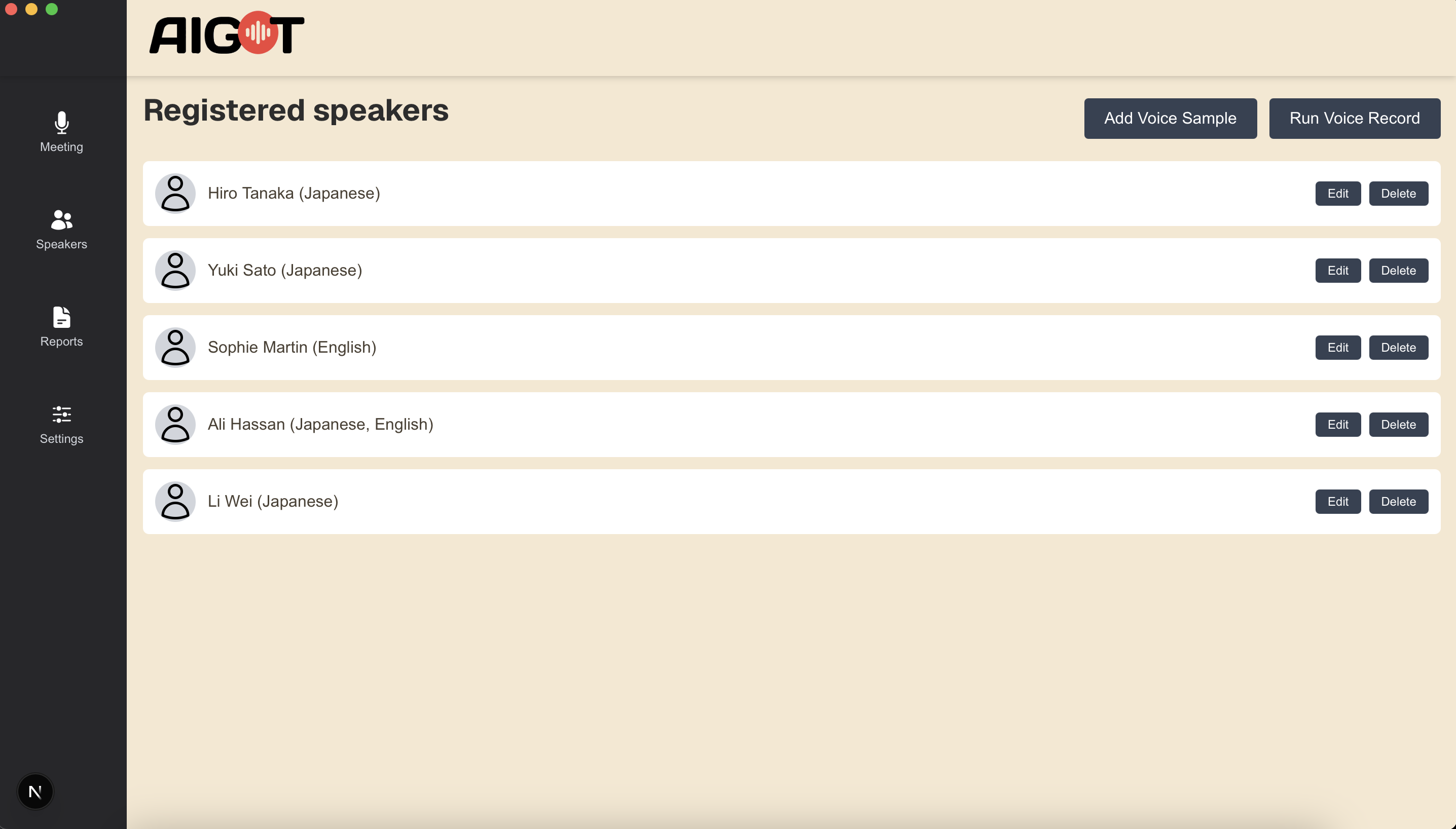
At the start of term, each student records a short voice sample. From then on, every transcribed line is correctly attributed — no one has to wear a microphone, no one has to log in, no one is singled out.
Student says their name + reads two sentences. About 30 seconds total. Done at the front of the class on a regular school laptop.
On-deviceThe app builds a unique voice embedding for that student. Stored locally — never uploaded.
Speaker IDMark the student's primary language(s) — Japanese, English, Vietnamese, Mandarin, etc. Aigot will translate to and from this list.
Translation engine setupFrom this lesson on, the student's name appears next to anything they say. Re-record only if their voice changes substantially.
Local time-seriesLive transcript
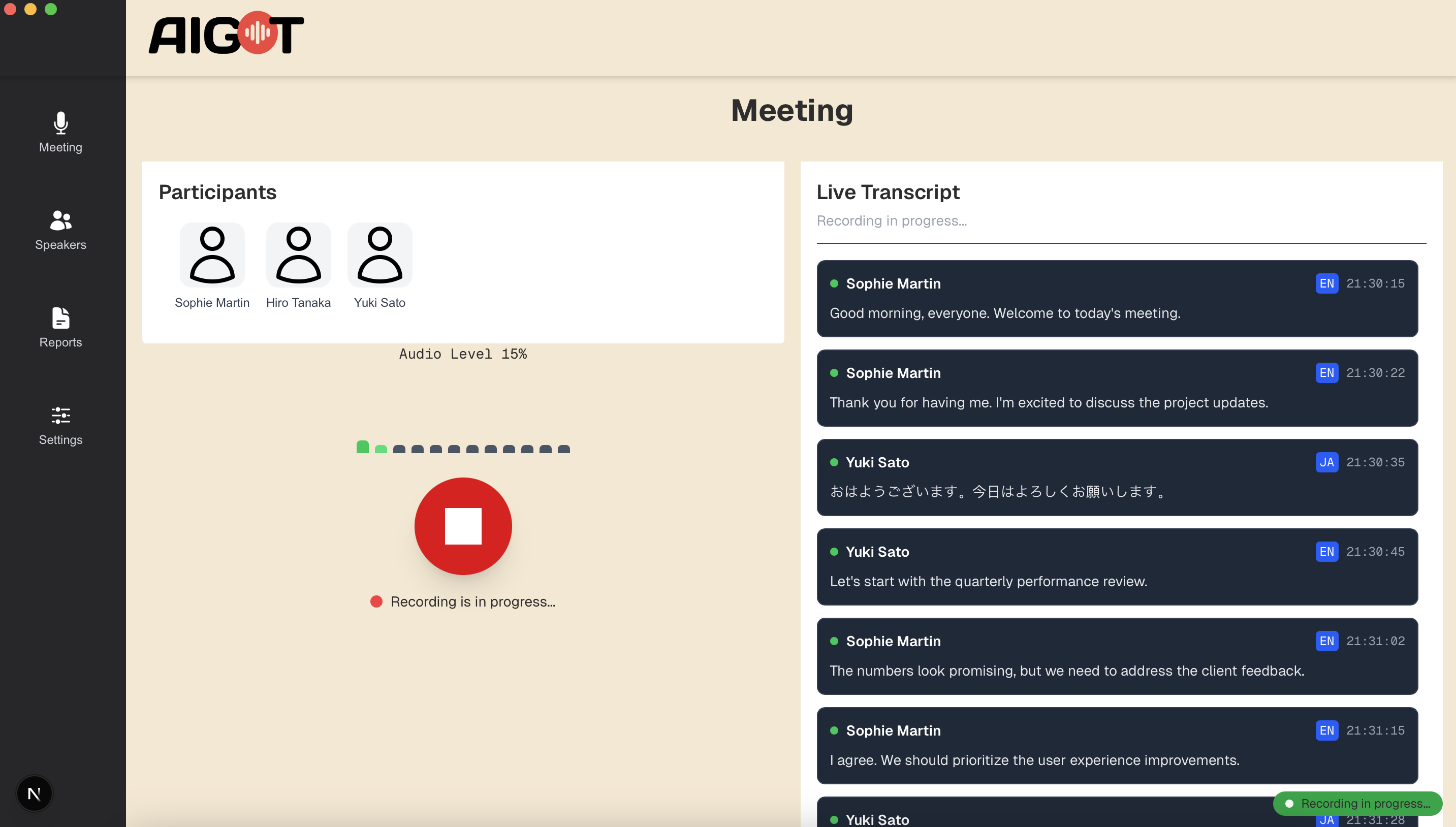
Recording starts. The audio meter pulses with the speaker. Each child appears as a card at the top, with a glowing ring on whoever is currently talking. New transcript bubbles slide in below — name, language tag, timestamp, the words. Translated lines follow in the student's preferred language. The teacher just teaches.
Cat dance · processing progress
Real-time transcription happens live — but post-lesson finalisation (speaker re-attribution, translation polish, summary, topic extraction) takes a minute or two. Instead of a soulless spinner, a headphone-wearing cat walks across a dotted track. Five milestones: it's alive, it's working, you'll get there. On completion, the cat hops; confetti pops.
Why a cat? Because progress bars feel like waiting at the airport. A walking cat with headphones means your audio is being heard. Pure CSS keyframes — the cat keeps walking even when the backend pauses between progress events, so the UI never feels frozen.
Lesson glossary · auto-built
This is the feature Aigot invests in most. When the lesson ends, the AI re-reads the finished transcript and lifts out the new or noteworthy vocabulary — the exact words a foreign-family child or a student who reads to keep up would otherwise miss. Watch it happen: the transcript on the left is scanned, key terms light up, and the glossary on the right builds itself. The teacher approves each term with a tap; the student takes the list home as a handout or a spaced-repetition deck, with readings (furigana for kanji, IPA for English).
植物が太陽の光をエネルギーとして、水と二酸化炭素から糖と酸素を作り出すはたらき。
植物の細胞の中にある緑色の小さな粒。光合成が行われる場所。
A small green organelle inside plant cells. The site where photosynthesis takes place. Contains chlorophyll, the pigment that captures sunlight.
葉の裏側にある小さな穴。植物はここから二酸化炭素を取り込み、酸素を出す。
炭素と酸素の化合物。光合成で植物が取り込む気体で、化学式は CO₂。
Tiny pores on the underside of a leaf. Carbon dioxide enters and oxygen exits the plant through them.
葉緑体に含まれる緑色の色素。光のエネルギーを吸収して光合成に利用する。
Nothing is invented: every term is lifted from words actually spoken in the lesson, with the reading and a plain-language definition attached. The teacher stays in control — approve, reject, or edit before it reaches the student.
Abbreviation, formal name, reading, examples, synonyms, antonyms, preferred alternatives — with definitions in both Japanese and English.
Rich attributesDraft → review → approved → deprecated. No term reaches its readers without passing human eyes.
Approval workflowRegistered terms are highlighted automatically in the transcript — hover, and the definition appears.
Highlight + hoverExport to flashcards (Anki), Excel, or Markdown. A concept graph maps how the terms relate.
Export + concept graphTopic lineage
Aigot tags every meeting with the topics it touched. Across a term, the lineage chart shows how concepts come and go: when photosynthesis arrived, when fractions returned, how long water-cycle stayed on the board. Filterable by participant, keyword, or date — useful for parent-teacher review and curriculum planning.
For business
Schools come first for Aigot. But the core of it — recording who said what, and keeping the organization's vocabulary aligned — works in any organization that holds meetings. Transcription and speaker identification run on your own machine; the cloud is used only when you explicitly choose it.
Speaker-attributed minutes
Minutes with speaker attribution, kept automatically. Decisions and action items trace back to who said what, and when.
Business glossary
AI extracts specialist terms from meetings; approval turns them into a company-wide glossary. Department- and project-level access control means sensitive terms are never even shown to those without permission.
Sourced answers
"How did we settle that again?" — ask across all past meetings and get an answer with the source utterances attached. Full-text and semantic search, both.
Schools and companies use the same door.
SynQ Pad integration · Private share
The teacher's tablet projects the lesson surface through SynQ Pad — a worksheet, a textbook page, the whiteboard. Aigot's transcript flows underneath in the student's chosen language. Both stream inside an encrypted private network.
Under the hood
Aigot stitches together best-in-class open models inside a single desktop app. Audio capture → speaker identification → transcription → storage. These core steps run on the school's own machine. In the default configuration, no cloud account, no per-minute billing, no audio in someone else's data centre.
Pulls from the laptop's mic and any system audio (e.g., a Zoom call). Normalised on-device.
Audio prepThe app segments the stream and matches each segment to a registered student's voice fingerprint.
Speaker IDAn on-device speech model converts speech to text. Automatically detects the spoken language, including Japanese and English.
Speech-to-textEach line — speaker, time, text, language — lands in a local time-series store so you can search any past class.
Local time-seriesPrivacy by architecture
First-time setup fetches the speech-recognition and speaker-ID models. After that, transcription and speaker identification run entirely on the device. Microphone, models, database, and report storage all run on the school laptop. Even without an internet connection, transcription and speaker identification keep working.
In the default configuration — no vendor account, no upload, no cloud transcript, no telemetry. Whether to use cloud speech recognition or AI is the school's explicit choice.
LV3 deploys, configures, and supports Aigot for Japanese schools. CSR pricing for public schools and inclusive-education programmes. We can also bring it into a parent-teacher conference room, a special-needs classroom, or a town-hall meeting where multiple languages are in the air.